Knowledge Base Article
Resetting an Argenta System Password After Being Locked Out
After four wrong sign-in attempts in a short time, Argenta stops accepting sign-ins for that account. Changing the person's password will not let them back in, because the lock is separate from the password.
There are two ways to clear it. The lock lifts on its own fifteen minutes after the last wrong password, and trying again while it is locked does not restart that clock, so waiting really does work. If the person needs to get in now, an administrator can unlock the account.
Unlock the account
- Click Settings, the gear at the top right, and choose System Users. That opens Our Argenta Users.
- Find the locked user in the list.
- Click the Unlock icon on their row.
- Argenta confirms with "This account has been unlocked." They can sign in again straight away.
You need to be a Master Admin or Subscription Manager to see the Settings menu at all, so if it is not there, ask whoever administers your account to do this for you.
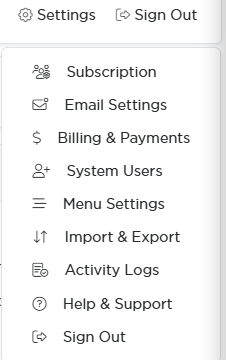
System Users sits in the Settings menu at the top right.
If they still cannot get in
Argenta also limits sign-in attempts by internet connection, not just by account. When a lot of failed attempts come from one connection, such as a shared office network, sign-ins from that connection are held back for a short while. Unlocking one person does not lift that, because it is not tied to their account. It clears on its own, so wait a few minutes and have them try again.
If the person has also forgotten their password, unlock the account first, then have them set a new one from Help Center at the top right, under Change Your Password.
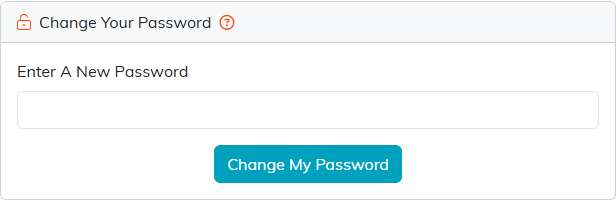
Change Your Password sits in the Help Center, and each person sets their own.
