Knowledge Base Article
How to Use the Report Center
Every report in Argenta lives in the Report Center. Here is how to find one, run it, and keep the ones you use most within easy reach.
Open the Report Center
Click Report Center in the row of links across the top right of the screen, next to Help Center. It is not in the left menu, so if you have been hunting for it down the side of the page, that is why.
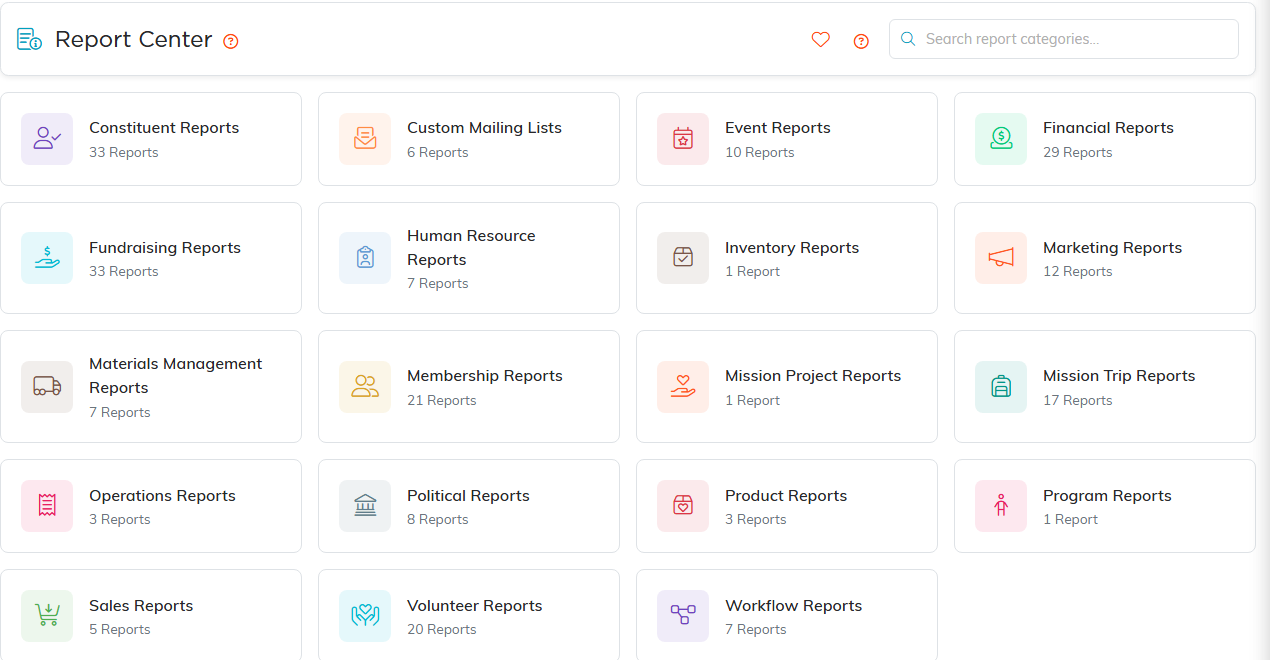
The Report Center. Every category card shows how many reports it holds.
Find the report you need
The Report Center opens on a set of category cards, and each card tells you how many reports it holds. You only see categories that actually have reports available to your team, so your list may be shorter than a colleague's at another organization.
- Click a category card to see the reports inside it.
- Use the Search reports... box to narrow the list. Inside a category it matches both the report name and its description.
- Click the report name to open it.
One thing worth knowing: the search box on the main Report Center page filters the category cards, not report names. Open a category first, then search.
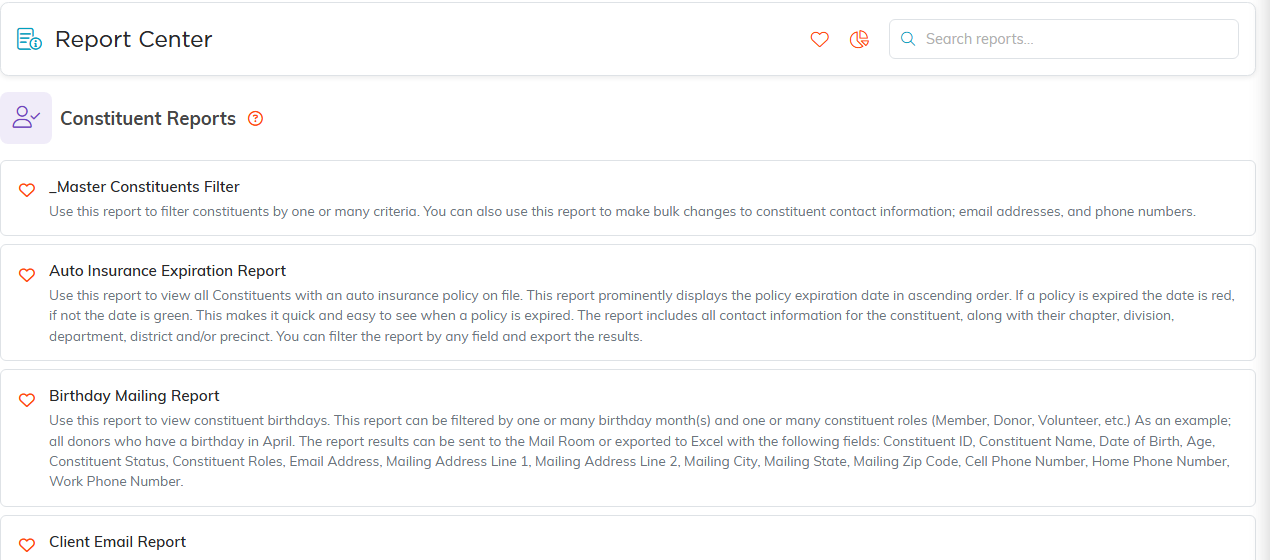
Inside a category, every report is listed with what it does.
Run a report
- The Report Filters panel is open at the top when the report loads. Set your date range and whatever else that report offers.
- Click Run Report. Your results appear underneath the filter panel.
- Click Reset Report to clear the filters and start fresh.
Once you have results, click the Report Filters header to collapse the panel and give yourself more room to read.

Set your filters, then Run Report. Reset Report clears them again.
Export your results

Both exports sit above the results.
Export buttons sit just above the results. Which ones you get depends on the report:
- Export To CSV for a plain data file that opens in any spreadsheet.
- Export To Excel for a formatted workbook.
- Export To PDF for something you want to print or hand over as-is.
Save your favorites
Click the heart beside any report name to add it to your favorites. The heart icon in the top right of the Report Center then opens My Favorite Reports, your own short list of the ones you run all the time. Favorites are per person, so yours are yours alone.
Finding your way back
While a report is open, the arrow in the top right returns you to the category you came from, and the pie chart icon takes you back to the Report Center.
Looking for a report on a particular subject? See How do I find reports about a specific topic?
