Knowledge Base Article
What is Voter Management in Argenta?
Voter Management is the set of screens political organizations use to track people as voters, organize them by political geography, and keep it all on the same constituent record the rest of Argenta uses.
Where to find it
Everything lives under Voting & Elections in the left menu. That section only appears for political organizations, so if it is missing, your account is not set up for it.
What is in the menu
- Voters. The people you have designated as voters, each one opening into the Voter Workspace.
- Districts. Your district records, which precincts roll up into.
- Precincts. Your precinct records, with their district and legislative district links.
- Voting Issues. The list of issues you want to track, managed like any other classification code.
- Delegates. Constituents you have designated as delegates.
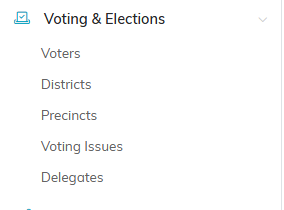
The whole section, as it appears in the left menu.
How a voter record works
A voter is a constituent you have designated as a voter, not a separate person. Go to Voting & Elections > Voters, click Add A New Voter, start typing a name on the Designate A Constituent As A Voter screen, then click Add Voter & Enter Details. The add icon on that field creates a brand new constituent if the person is not in Argenta yet.
Because it is the same record, anything you already know about the person (their address, giving, volunteering, event history) stays attached. You can also reach the same information from the constituent record itself, on its Voter page.

Add A New Voter sits at the left of the action bar.
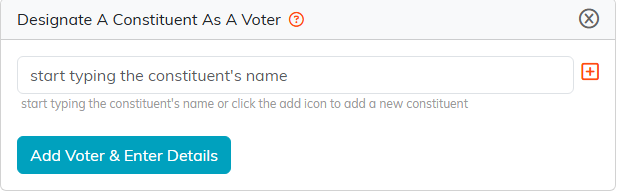
Start typing the name. The plus icon creates the constituent if they are new.

The green icon on the row opens the Voter Workspace.
What you can track on a voter
Voter Details covers registration and geography: Voter Registration Status, Voter Registration Date, State Registered To Vote, Voter Registration Number, and Voter Registration System ID, plus County, Ward, District, Precinct, Congressional District, State Senate District, State House District, and your Chapter, Division, and Department. Political Party, Voting Preference, Voter Type, and Voter Category all pull from your own classification code lists, so the choices are the ones your organization sets up.
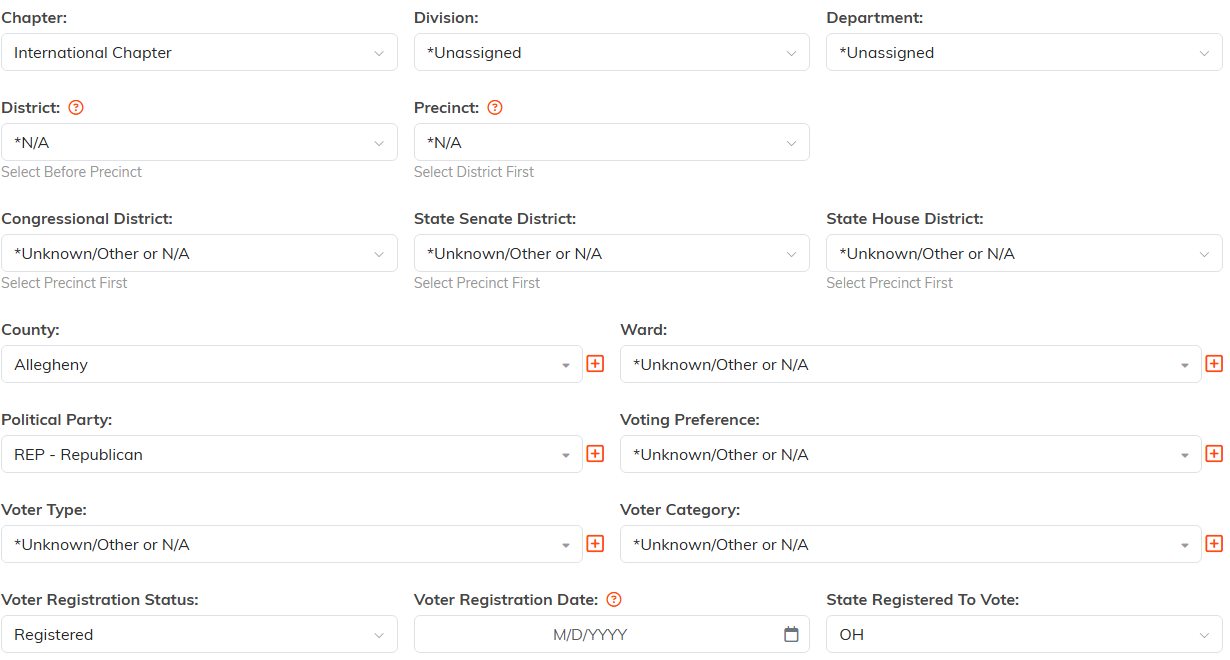
Voter Details holds the registration and the political geography.
The rest of the Voter Workspace
- Important Issues. Tag the voting issues this person cares about.
- Voter Support. Tag their support using your own Voter Support list.
- Follow-Up and Notifications. Keep the next step from getting lost.
- Contact Log and Email Log. A record of the outreach.
- Voter Files and Voter Notes. Documents and running notes.
- Record Permissions. Who can see and edit this one record.

The rest of the workspace sits in this menu.
Reporting on it
The Report Center has the Voter Master Report, the Voter Support Overview Report, and the Constituent Voting Issues Report, and each list page exports to CSV.
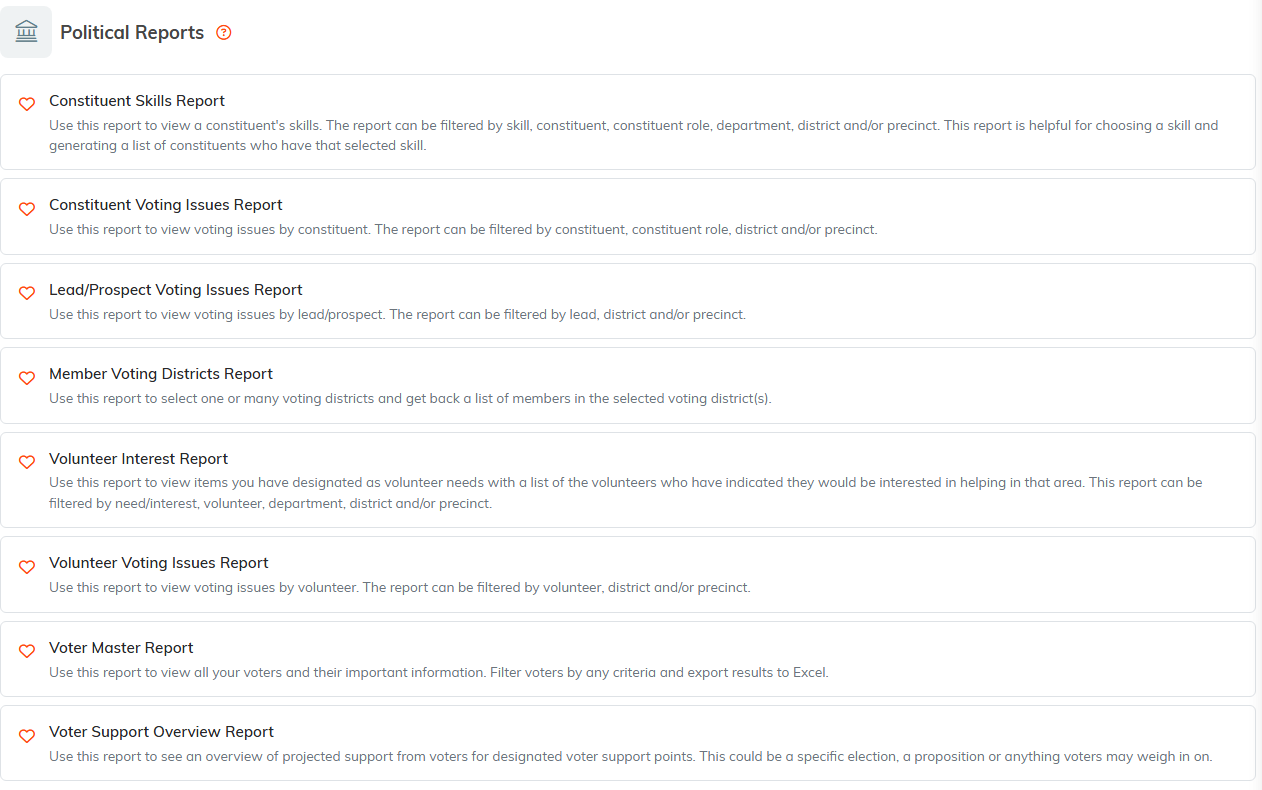
The voter reports live under Political Reports in the Report Center.
