Knowledge Base Article
How to Use Voting Issues to Track Positions
Voting Issues let you keep one shared list of the issues your organization tracks, then tag the people who care about each one, so an issue means the same thing no matter who entered it.
Build your list of issues
- Go to Voting & Elections > Voting Issues.
- Click Add A New Voting Issue.
- Type the name in the Voting Issue field. That name is the whole record, so make it clear on its own and keep it consistent.
- Click Add Voting Issue.
Voting Issues is one of your classification code lists, so a single name is all it holds. There is no separate type, description, or election field on it.
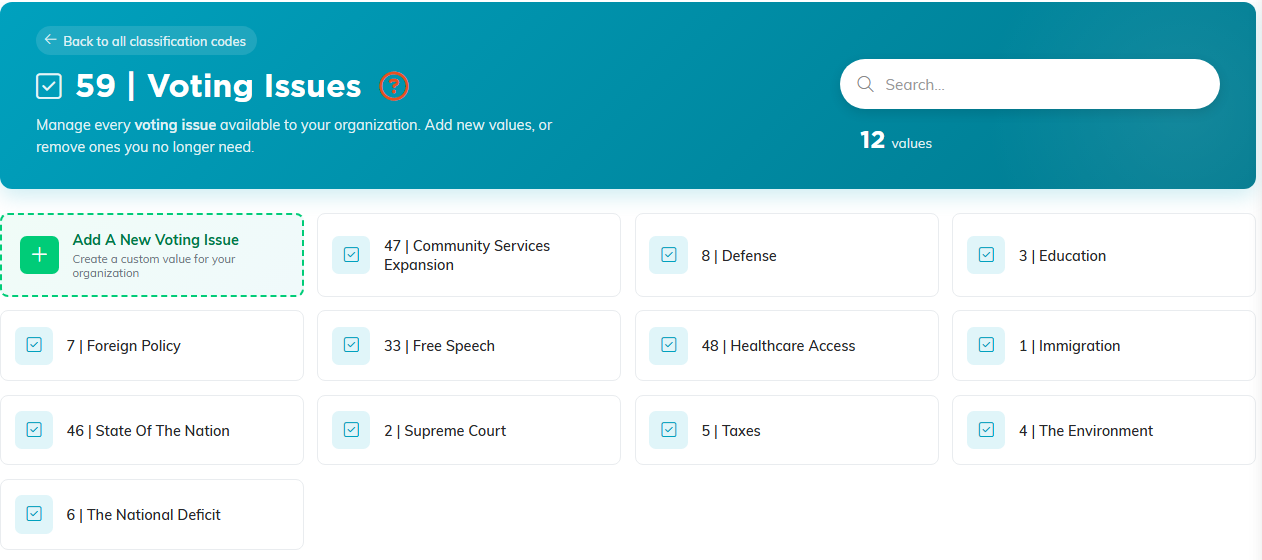
Voting Issues is one of your classification code lists. Each tile is one issue.
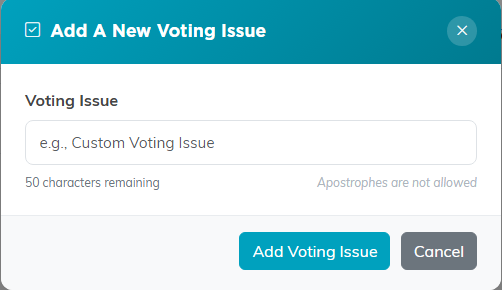
The name is the whole record, so keep it clear and consistent.
Find and clean up issues
Use the search box to jump to one, and Show All Values to clear the search. Delete removes an issue from your list, but Argenta blocks it if the issue is assigned to any record, so unassign it first. Back to All Codes takes you to the full classification code list.
Tag a voter with an issue
- Go to Voting & Elections > Voters and open the voter.
- Click Important Issues in the workspace menu on the left.
- Under Add Voting Issue, choose one from the picker (it reads Select a voting issue). The add icon on the field creates a new issue without leaving the page.
- Click Add Selected Item. It saves right away.
The count line reads 2 Voting Issue(s), and before you add anything it reads No voting issues on file. Each issue can be on a voter once. Remove one with the circle-x beside it.
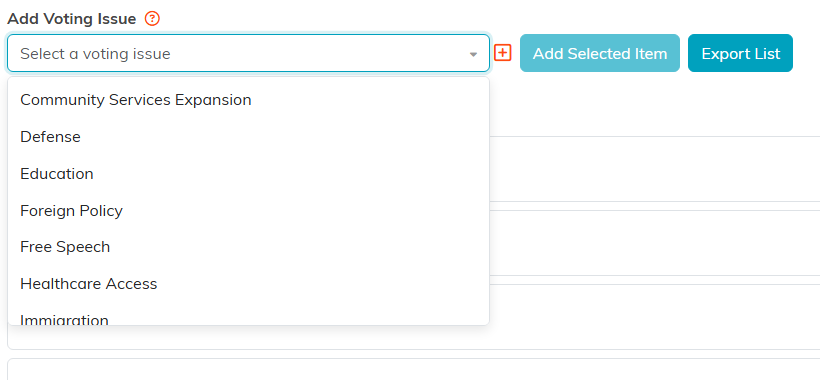
The picker offers your shared list. The plus icon adds a new issue on the spot.
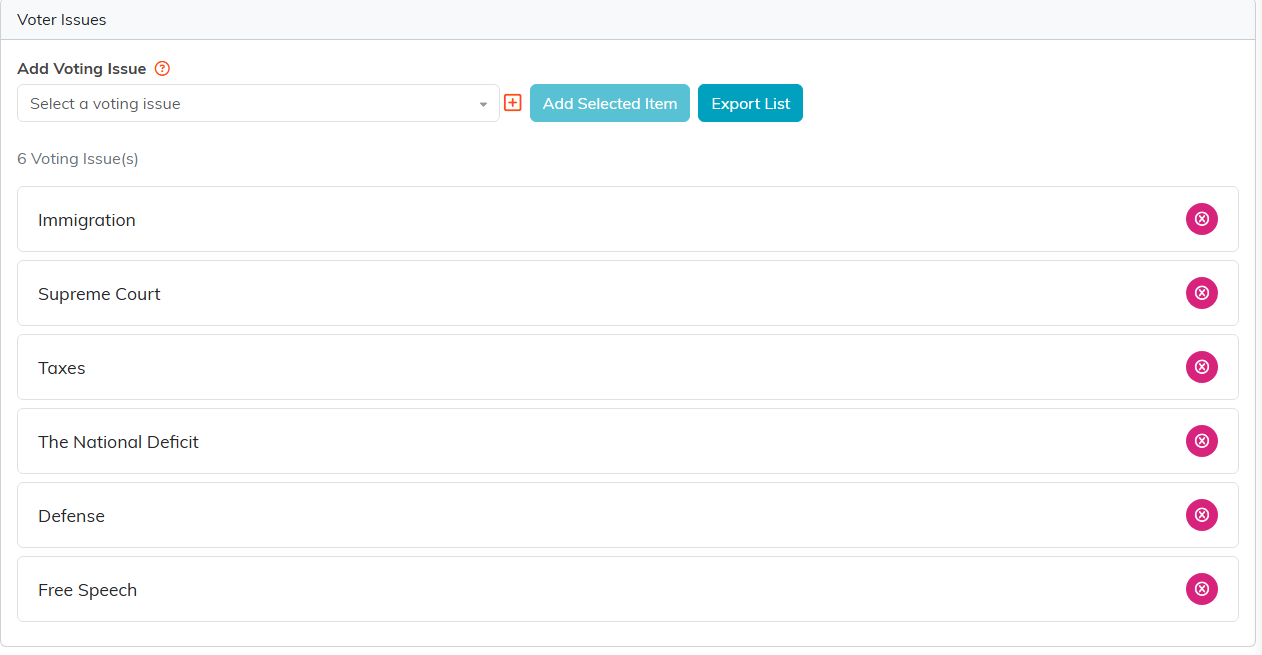
Add Selected Item saves right away. The circle-x takes an issue back off.
Where else issues show up
Voting issues are not limited to voters. The Report Center has a Constituent Voting Issue Report, a Member Voting Issues Report, a Volunteer Voting Issues Report, and a Lead/Prospect Voting Issues Report, so you can see the same issue across different groups of people.
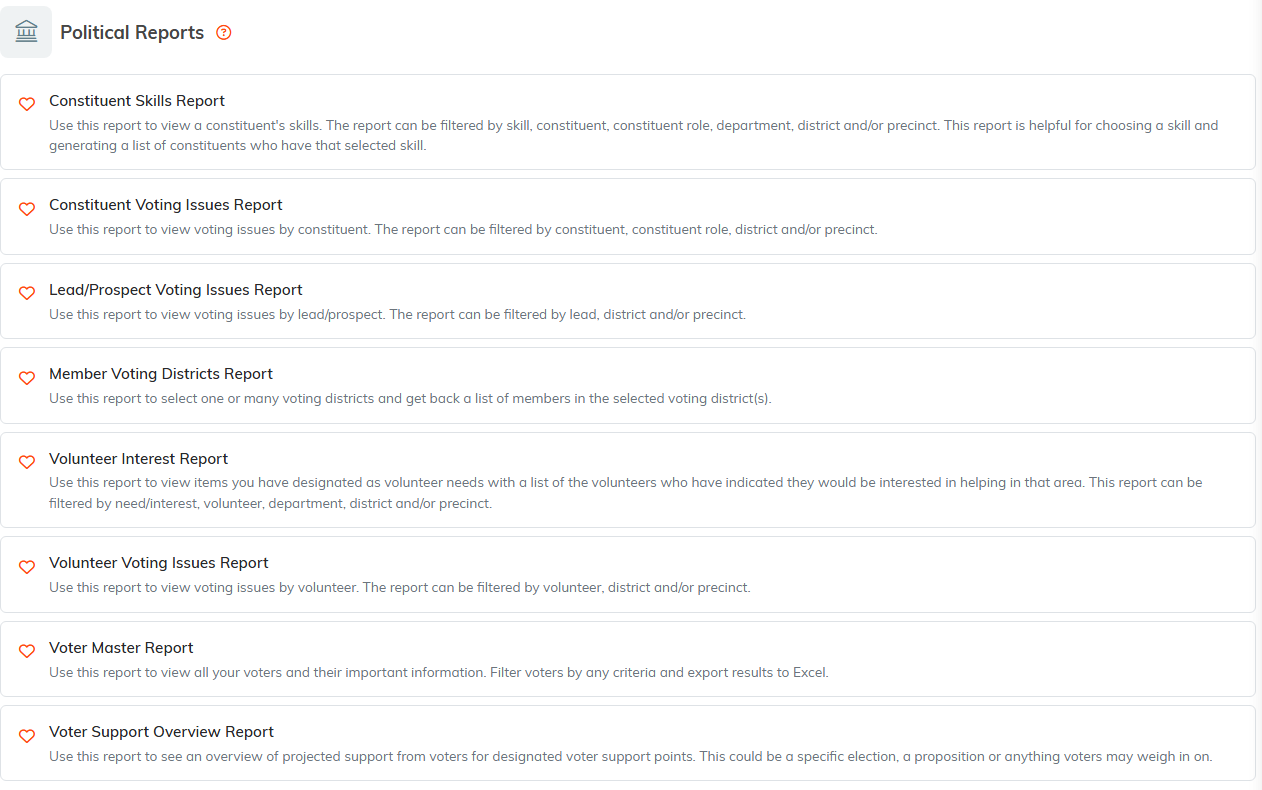
The voting issue reports sit together under Political Reports.
Getting the data out
Use Export to CSV on the Important Issues page for one person, or run one of the reports above for the full picture.
A note on naming
Because everyone picks from the same list, the names you choose are what your reports will say. Decide the wording once, and add new issues to the shared list rather than typing a variation on a single record.
See also How to Track Voter Support Levels, What is Voter Management in Argenta?, and How To Manage Classification Codes in Argenta.
