Knowledge Base Article
How to Create and Manage Pledges
A pledge records a gift a donor has promised but has not yet paid, such as a multi-year commitment, a monthly giving promise, or a capital-campaign pledge. Argenta lets you track the promise and turn it into a donation once the donor pays.
Create a pledge
- Choose Fundraising > Pledges and click Add New. Argenta opens the Pledge Workspace.
- On Pledge Details, enter the Date of Pledge, the Pledge Amount, and the Donor. These three are required.
- Set Recurrence (Y or N) and, if it recurs, a Recurrence Frequency.
- Optionally add the Team Member Who Solicited, a Donation Category, an Associated Campaign, and a chapter, division, or department (plus district and precinct for political teams).
- Click Save All & Continue or Save All & Exit.
For a field-by-field walkthrough, see Add Pledges.

Add New opens the Pledge Workspace.

These three carry the orange asterisk, so they are the required ones.

Recurrence and its frequency sit side by side.

Save and stay, or save and go back to the list.
Turn a pledge into a donation
When the donor pays, open the pledge and click Convert To Donation. Argenta creates a matching donation from the pledge and moves its files and notes to the new donation. A pledge can be converted once; after that it is marked as converted.

After a conversion the pledge is marked as converted.
Attachments, notes, and access
Each pledge has Pledge Files and Pledge Notes tabs, plus a Record Permissions tab to control who can see or edit it.

Files, notes and permissions each have their own tab.
See how pledges are being fulfilled
To review outstanding and fulfilled pledges across your organization, run the Pledge Fulfillment report (Reports > Pledge Fulfillment).
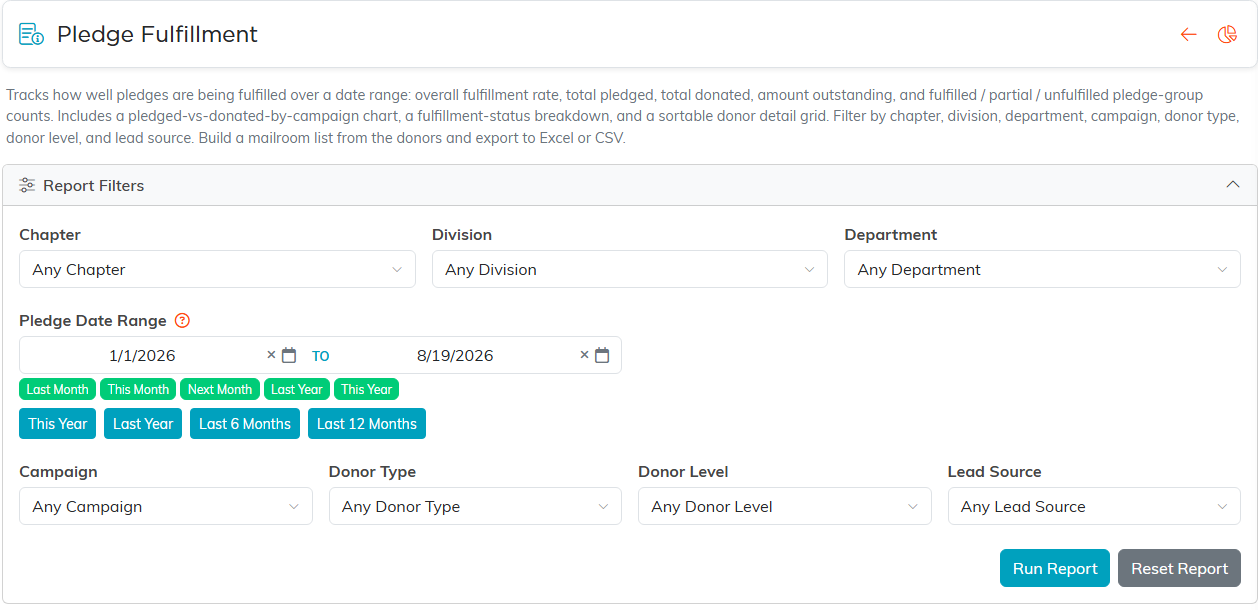
Set a date range that covers the pledges you want, then run it.
