Knowledge Base Article
Where to find Volunteer Reports
Volunteer Reports covers hours, tasks, skills, training and the people who have quietly stopped showing up.
Getting there
- Open the Report Center from the top right of the header
- Click the Volunteer Reports category card
- Use the search box on that page to narrow the list by report name or description
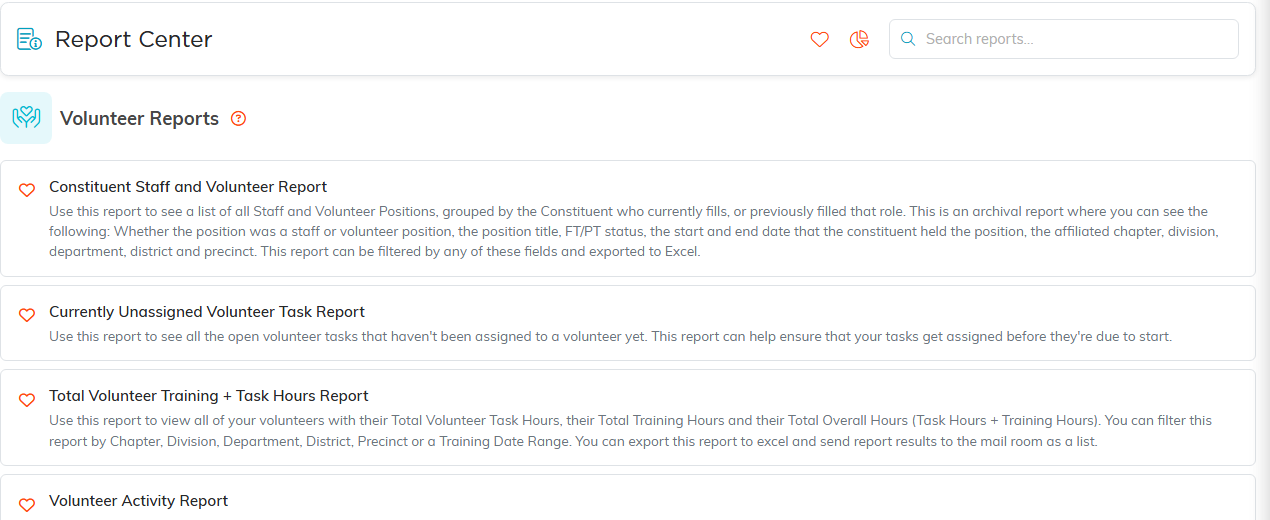
Volunteer Reports, with what each one does.
Hours and service
- Volunteer Service Hours Report for hours contributed, which is usually the one grant reporting needs
- Total Volunteer Training + Task Hours Report when training time should count too
- Volunteering for Members Service Details Report for service tied to membership
- Volunteer Mileage Report for travel, whether you reimburse it or just recognize it
Tasks and assignments
- Volunteer Task Details Report for what was done
- Volunteer Task Group Roster for who is on a task group
- Currently Unassigned Volunteer Task Report for gaps you still need to fill
- Volunteer Task Reassignment Report for work that moved between people
Who your volunteers are
- Constituent Staff and Volunteer Report for the roster itself
- Volunteer Group Members Report for group membership
- Volunteer Skills Report for who can do what
- Volunteer Interest Report for people who have put their hand up
Recognition and training
- Volunteer Years of Service Report for tenure and anniversaries
- Volunteer Training Report for what has been completed
Who has drifted away
Three reports answer this from different angles, and they are worth running before you plan any recruitment:
- Volunteer Task Inactivity Report
- Volunteers Inactive Reason Report
- Volunteers Inactive Summary Report

Both exports sit above the results.
Precinct sign-ups
If your organization works by precinct, one more report sits in this category:
- Volunteer Sign-Ups By Precinct lists every location in a volunteer task group, grouped by the voting precinct that location sits in, with the public sign-up link for each one. Pick a task group, choose whether you want shifts still ahead or every shift, and hand each precinct captain just the locations in their own precinct.
The precinct comes from the location’s own record rather than from the task, so a location shows under the precinct it physically sits in. A location whose shifts are all taken shows Not open for sign-up in place of the link. This report appears only for organizations set up as political.
Overview
- Volunteer Activity Report and Volunteer Management Report for a broad view across the program
- Volunteer Voting Issues Report where you track political issue interest
Set your filters, click Run Report, then Export To CSV or Export To PDF to take the results with you.
Volunteer Task Group Roster is also linked in the sidebar under Volunteerism as Volunteer Group Roster, so you can reach that one without coming through the Report Center.
