Knowledge Base Article
What permissions do I need to access reports in Argenta?
To access the Report Center and run reports in Argenta, you need one of the following permission levels:
Report Manager Role:
- Full access to the Report Center
- Can browse all report categories
- Can run any available report
- Can save reports as favorites
Administrator Role:
- Full access to all Argenta features including reports
- Can also manage report administration (add/edit reports)
Additional permission for exporting:
- The Exporter role is required to use the Export To PDF feature
- Without Exporter permission, you can view reports but not export them
If you cannot access reports:
- Contact your system administrator
- Request Report Manager or Administrator role
- Request Exporter role if you need to export PDFs
Your administrator can update your permissions in the Team Members section under Security settings.
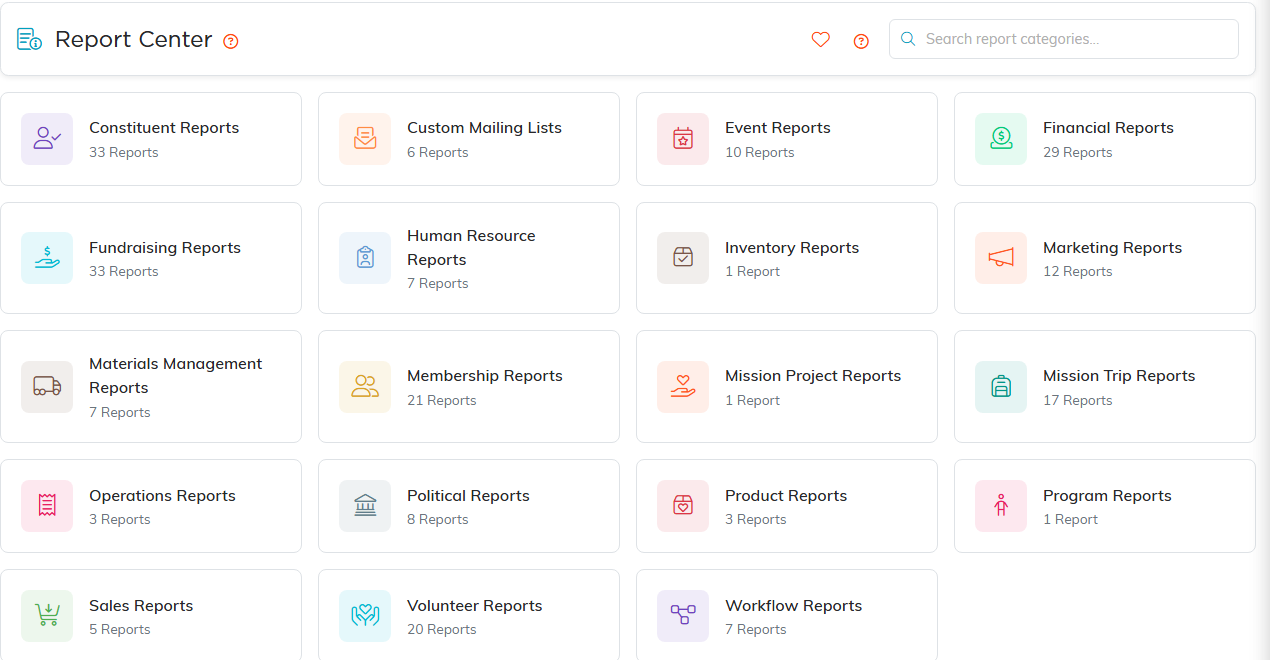
The Report Center. Every category card shows how many reports it holds.
