Knowledge Base Article
What merge tags are available in Argenta email templates?
Argenta provides 31 merge tags across 6 groups, the same groups you see in the picker. Each tag pulls live data from the recipient's record when the email is sent. Write a tag in square brackets, like [FirstName].
Contact info
- [FirstName] - first name
- [LastName] - last name
- [ConstituentName] - full display name
- [Nickname] - nickname, if one is on file
- [Salutation] - salutation (Mr., Ms., Dr.)
- [Email] - email address
- [Phone] - formatted phone number
- [Birthday] - date of birth
- [OrganizationName] - organization name
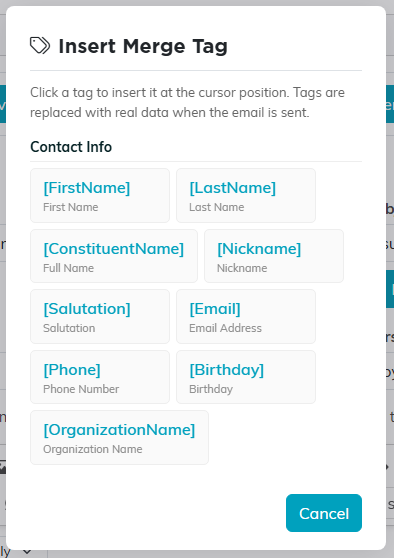
The same tags, in the picker inside the editor.
Mailing address
- [MailingAddress] - street address
- [MailingCity] - city
- [MailingState] - state abbreviation
- [MailingZip] - zip code
Organizational segments
- [Chapter], [Division], and [Department] - the recipient's chapter, division, and department
Donations
- [TotalDonated] - lifetime giving total
- [LastDonationDate] and [LastDonationAmount] - the most recent gift
- [FirstDonationDate] - date of the first gift
- [NumberOfDonations] - number of gifts
- [DonationYearTotal] - giving so far this year
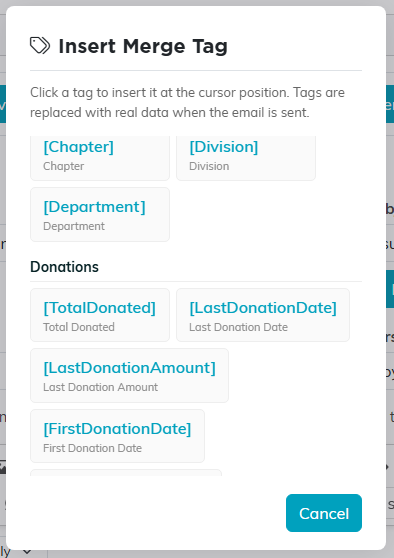
Scroll the picker to reach the later groups.
Membership
- [MembershipNumber] - member ID
- [MembershipLevel] - membership level
- [RenewalDate] - upcoming renewal date
- [MemberSinceDate] - the member's active date
Volunteerism
- [VolunteerTaskHours] - total volunteer hours
- [YearsOfService] - years of service
- [VolunteerSinceDate] - when they started volunteering
- [NumberOfVolunteerTasks] and [LastVolunteerTaskDate] - task count and most recent task
If a recipient has no data for a tag (for example, they have never donated), the tag is replaced with an empty string, so no brackets or placeholder text show up in the sent email.
