Knowledge Base Article
How to Add Sponsorships to Your Auction
Sponsorships are gifts from businesses or people who support your auction. Argenta records both cash sponsorships and in-kind sponsorships (donated goods or services).
Opening a sponsorship record needs the Auction Manager permission. An administrator already has it. Without either, Argenta sends you to an access denied page, including when you follow a direct link.
Where to find sponsorships
- Open your auction.
- Click Sponsorships in the workspace navigation.

Sponsorships is one of the tabs in the auction workspace menu.
Add a sponsorship
- Click Add A New Sponsorship.
- Enter the sponsor and their details.
- Choose the sponsorship type, category, and level.
- Enter the amount for a cash sponsorship, or mark it in-kind for a donated item or service.
- Set the status so you can track where it stands.
- Save the sponsorship.
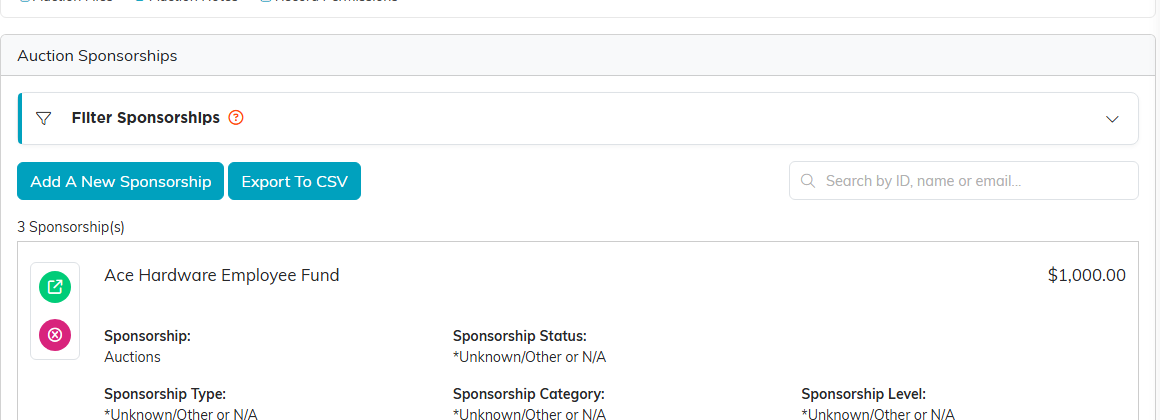
Add A New Sponsorship sits above the list.

Pick the sponsor, set the status, and enter the amount.

Type, category and level are how you group your sponsors.

Save the sponsorship when you are done.
Cash and in-kind
- Cash sponsorships add to your auction income totals.
- In-kind sponsorships are tracked for your records but are not counted as cash, since no money changes hands.
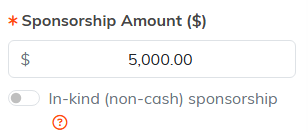
Flip the in-kind switch and the gift is tracked without counting as cash.
Seeing the totals
Sponsorships roll up into the Budget & Financials summary, so you can see how much support your auction has brought in.
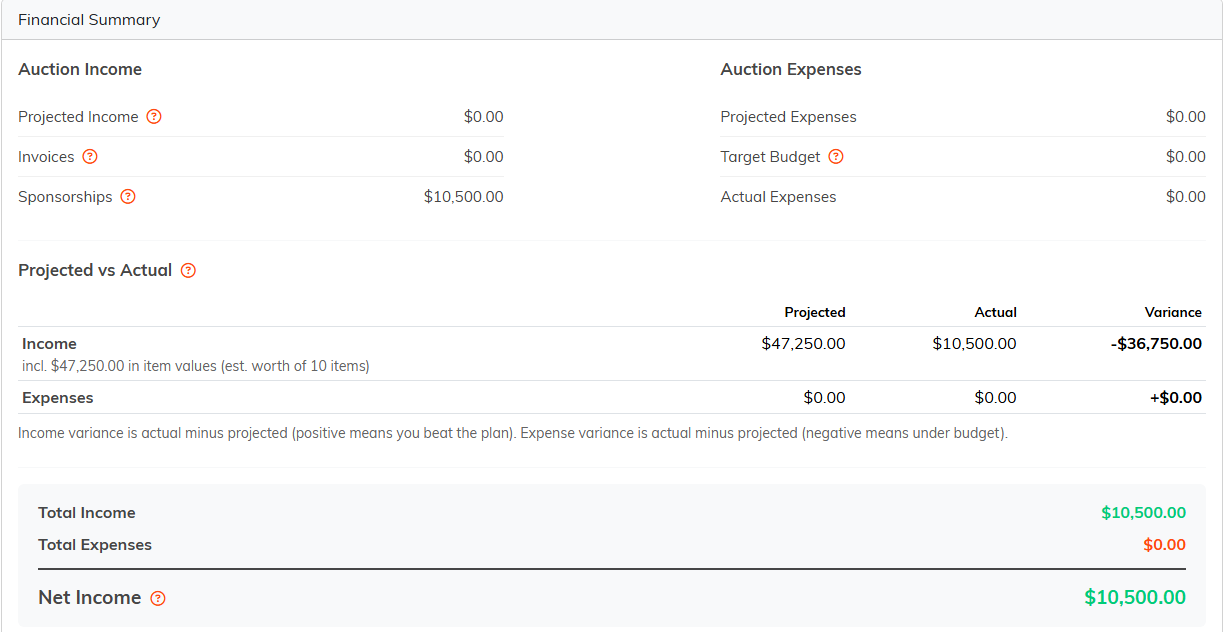
Sponsorships show as their own line in the Financial Summary.
