Knowledge Base Article
How to Organize Mailing Lists with List Groups
Short answer: Mail Room mailing lists are not organized into List Groups. There is no group or folder layer on a mailing list. List Groups is a separate feature in Argenta for a different kind of list, and this article covers both, so you end up in the right place.
What List Groups Actually Are
List Groups live under Workflow & Productivity > Lists. They are for the working lists your team keeps, things like checklists, tracking lists, and reference lists. A list group is a container that holds related lists, and each list holds its own items.
Everyone can open the page and work with their own personal groups. The team and shared groups need Admin or Workflow Manager permission, so ask your team administrator if you need those.
For how to build and use them, see Add Lists/List Groups.
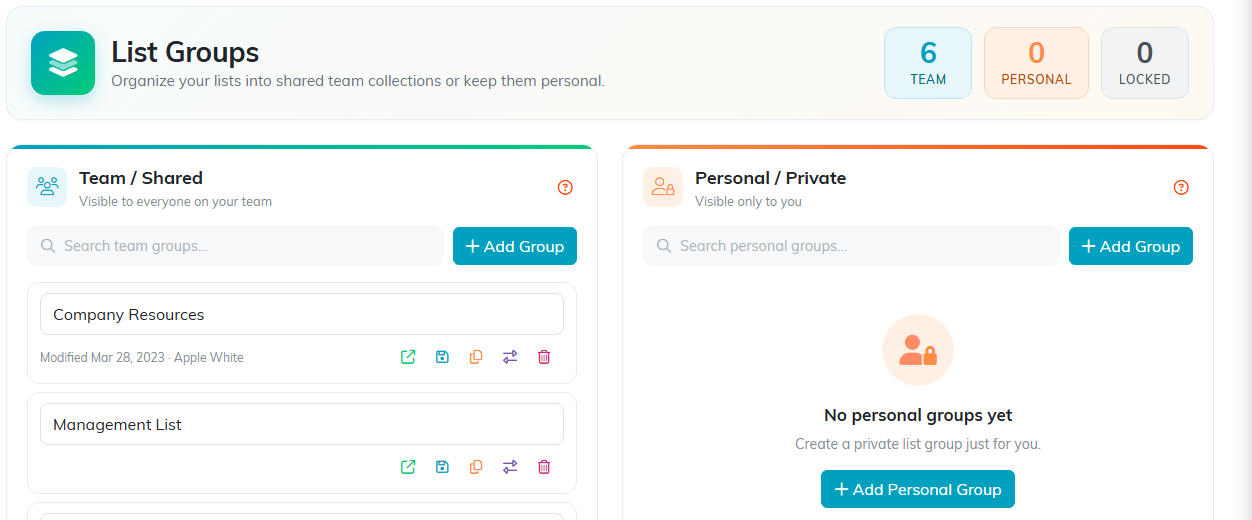
List Groups. A different feature from mailing lists.
How Mailing Lists Are Organized Instead
Mail Room lists sit in one place, Communication > Manage Mailing Lists, as a single searchable set. Here is what keeps that set manageable.
- Naming. This is the real organizing tool. A prefix does the job a folder would: "Newsletter - Monthly", "Newsletter - Weekly", "Appeal - Year End", "Event - Gala 2026". Related lists then sort together and search together.
- List type. Every list is an Email, Text (SMS), or Postal Mail list, and the type is shown on the list. That is a built-in split you do not have to maintain.
- Search. Search the page by name rather than browsing. With a consistent naming pattern, typing "Appeal" gives you every appeal list.
- Smart Lists. If a list is defined by a rule (for example, everyone who gave in the last year), make it a Smart List with the wand icon. Smart Lists keep themselves current, which cuts the number of near-duplicate lists you have to keep straight.
- Copy and delete. Copy a list to start a similar audience, and delete the ones you have stopped using. Deleting a list does not delete the constituents on it.

Mailing lists sit in one searchable set, so the name is what organizes them.
A Naming Pattern That Works
Pick a small number of prefixes and stick to them, for example:
- Newsletter - for recurring sends
- Appeal - for fundraising
- Event - for a specific event, with the year
- Internal - for staff, board, and committees
Agree on the prefixes with your team before you build a lot of lists. Renaming twenty lists later is the tedious version of this task.
